
Real-Time Chat Application Development for Web & Mobile
I build real-time chat systems with Laravel, Node.js, and WebSockets - internal team tools, customer support widgets, or a fully owned alternative to per-seat apps like Slack. Based in Karachi, working with local and remote teams across Pakistan, the US, UK, and UAE.
Why Businesses Build Custom Chat Instead of Using Slack, Discord, or a Bolted-On Widget
Off-the-shelf chat tools are built to serve every possible use case at once, which means you're paying for - and working around - a lot of things you don't need. Slack charges per seat and gets expensive fast once a team crosses a few dozen people. Embedded support widgets from third-party vendors store your conversation history on their servers, under their pricing and their policy changes, not yours. And most generic chat tools weren't built to plug into your CRM, your user accounts, or the specific workflow your team actually has.
Custom chat development flips that. I build the messaging layer around what you're actually trying to do - a support widget tied to customer records, an internal tool your team owns outright, or a buyer-seller messaging system inside a marketplace you're running. You get the source code, the data stays on infrastructure you control, and there's no per-seat bill that grows every time you hire someone.
This isn't the right call for every team. If you need Slack tomorrow and don't have a specific reason to avoid it, use Slack - it's mature, reliable, and cheap at small scale. Custom chat development starts making sense once you've outgrown what a generic tool gives you: you need it tied into your own systems, you're paying enough in per-seat fees that a one-time build pays for itself, or you're building messaging as a feature inside a product you're already running (which is exactly what Chatrox is - a fully owned professional networking and messaging platform, not a Slack clone).
| Situation | Off-the-Shelf (Slack/Intercom/widgets) | Custom Chat Development |
|---|---|---|
| Cost structure | Per-seat, grows with your team | One-time build, no per-seat fee |
| Data ownership | Hosted on vendor's platform | You own the database and source code |
| Integration with your CRM/product | Limited, often needs a paid add-on | Built directly into your existing system |
| Customization | Limited to what the vendor exposes | Any feature your workflow actually needs |
| Branding | Vendor's UI, sometimes white-labeled | Fully yours - looks like your product |
| Long-term cost | Increases with team size | Flat - hosting cost only |
What I Build Inside a Chat System
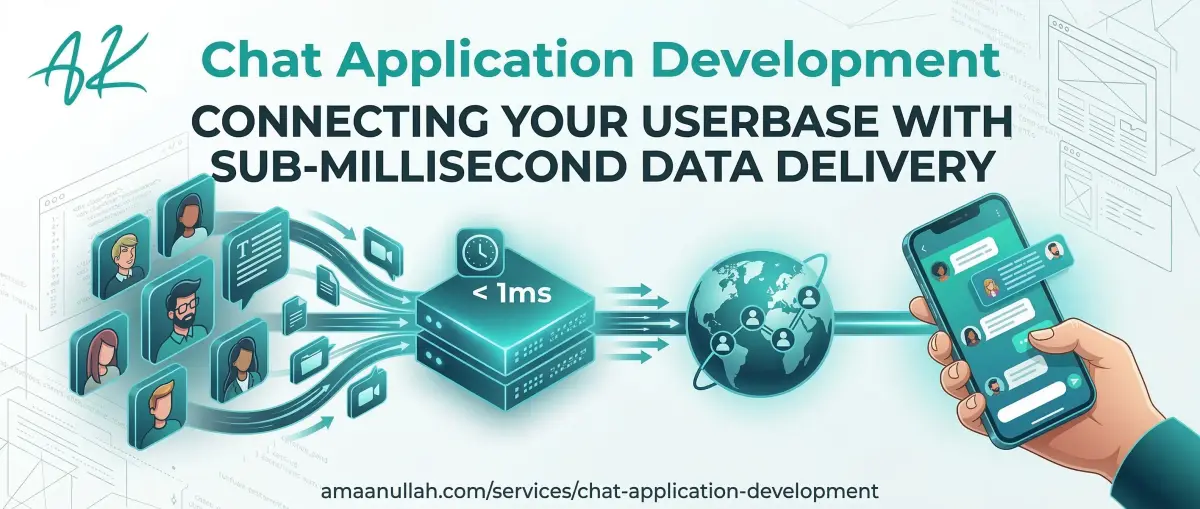
Real-Time Messaging & Delivery Messages send and arrive over a persistent WebSocket connection, not by refreshing or polling the server every few seconds. This includes delivery confirmation (message sent → delivered → read) so users aren't left wondering if something actually went through. For most regions, typical delivery is under a second - I'll give you real numbers for your specific user base and server region during scoping, not a generic promise.
Group Chats & Channels Multi-user conversations with role-based permissions - admins, moderators, and regular participants see different controls. Useful for team channels, project-specific groups, or support tickets that need more than one agent involved without message history getting fragmented across tools.
Media & File Sharing Images, documents, and voice notes inside the conversation thread, stored on object storage (like AWS S3) rather than crammed into your main database - so performance doesn't degrade as your message history grows into the hundreds of thousands.
Push & In-App Notifications Users get notified of new messages whether the app is open, backgrounded, or closed, with per-conversation controls so people aren't drowning in alerts from channels they don't care about.
Admin & Moderation Tools For anything customer-facing: full conversation history visible to admins, the ability to reassign a chat between support agents mid-conversation, and content moderation controls if you're running any kind of open or semi-open community.
Integration With What You Already Use Chat rarely works well as an island. I connect it to your CRM so a support conversation shows up against the right customer record automatically, instead of living in a disconnected tool that someone has to manually cross-reference. If you're running a CRM already (see Custom CRM Development), this is usually a matter of extending that system, not building a separate one from scratch.
The Engineering Behind Real-Time Communication
Standard web requests are request-and-response: your browser asks, the server answers, the connection closes. That model doesn't work for chat - users expect messages, typing indicators, and read receipts to show up the instant something happens, not on the next page refresh.
For that, I use dedicated WebSocket servers (built on Node.js with Socket.io) that keep a persistent, two-way connection open between the user and the server. For anything beyond a single server's capacity, this gets backed by Redis pub/sub, which lets multiple WebSocket servers stay in sync - so a message from a user connected to server A reaches a recipient connected to server B without anyone noticing the handoff. This is the same pattern used by every major chat platform at scale; the difference between a chat feature that works with 50 test users and one that holds up at 5,000 concurrent connections is almost entirely in this layer.
On the frontend, I build with Flutter for cross-platform mobile (one codebase for iOS and Android) or React for web, so the interface stays responsive even when a conversation has thousands of historical messages to scroll through - pagination and lazy-loading matter here just as much as the backend does.
Chat Development for These Use Cases
Customer Support Widgets A chat widget on your site or app that routes conversations to your support team, with full history tied to the customer's CRM record - so an agent picking up a conversation can see the customer's order history, not just the last three messages.
Internal Team Communication A private, fully owned alternative to Slack or Microsoft Teams. Makes sense once per-seat pricing is adding up, or if your team's conversations involve data that needs to stay on infrastructure you control rather than a third-party's servers.
Marketplace & Two-Sided Messaging Buyer-seller, tenant-landlord, or user-to-user messaging inside a marketplace or platform you're running - with moderation tools so conversations can be monitored for policy violations without reading every message manually.
Chat Inside an Existing Product Adding a messaging layer to a platform or CRM you already have, built to match your existing UI and data model, instead of an obviously bolted-on third-party widget that breaks the experience.
How a Chat App Project Runs
1. Scope the Use Case. Support widget, internal tool, or two-sided marketplace messaging - this decision shapes the entire architecture (who talks to whom, what permissions matter), so it's the first thing we lock down, before any pricing or timeline gets discussed.
2. Architecture & Infrastructure Plan. I design the WebSocket server setup, the database schema for message history and read state, and exactly how the chat layer connects to your existing CRM or user accounts - mapped out before a line of code gets written.
3. Build in Stages. Core one-to-one messaging ships first, so you have something real to test early. Group chats, file sharing, notifications, and moderation tools layer on after - not delivered as one untested system at the very end.
4. Load Testing on Staging. Before anything goes live, I test the system under realistic concurrent-user load on a staging copy - not just with a handful of manual test accounts, which is where most chat systems that "worked in the demo" quietly fall apart in production.
5. Launch & Handover. Deployment, documentation, and a walkthrough for your team, plus active monitoring in the first weeks after launch to catch anything that only surfaces under real usage patterns.
Production Chat Proof, Not a Demo
My flagship build here is Chatrox - a fully owned, enterprise-grade real-time messaging and professional networking platform, built as a genuine alternative to per-seat tools rather than a stripped-down demo. It covers one-to-one and group messaging, media sharing, and the same WebSocket + Redis architecture described above, running in production rather than sitting as a portfolio piece. Read the full case study, or see how the same underlying messaging architecture gets applied differently across customer support versus internal team contexts.
Why Invest in Custom Chat Development?
Own Your Data
Self-hosted chat means conversation history isn't sitting on a third-party's servers, subject to their pricing changes, data policies, or the risk of the service shutting down entirely.
No Per-Seat Costs
Once you're past a handful of users, per-seat messaging tools get expensive fast - a custom build is a one-time development cost plus hosting, not a recurring per-person bill that scales against you as you grow.
Built for Your Exact Workflow
Off-the-shelf tools are built for every possible customer, which means constant compromise for you. A custom build only has the permissions, integrations, and features your team actually uses.
Tied Into Systems You Already Run
Chat that talks directly to your CRM, user accounts, or product data - instead of a disconnected tool your team has to manually cross-reference against everything else.
Frequently Asked Questions
Can you build a chat app for both iOS and Android?
How fast is message delivery, realistically?
How do you handle messaging security?
Can the chat app handle a large number of concurrent users?
Can you integrate voice and video calling?
Will the chat app drain mobile battery?
How much does a custom chat system cost?
Ready to Build Chat That's Actually Yours?
Tell me what you're trying to add - a support widget, internal tool, or full messaging platform - and I'll reply within 24 hours with a realistic scope, timeline, and price range.
Looking for a chat app developer in Pakistan or Karachi?
